A Beginner’s Guide to Using Joincrs.com for Better Classroom Engagement
Keeping students engaged isn’t always easy. Some days the room feels too quiet. Other days, attention drifts halfway through the lesson. If you’ve experienced this, you’re not alone. The good news? There’s a simple, free tool that can quickly bring energy and interaction back into your classroom Joincrs.com.
In this guide, you’ll learn what Joincrs.com is, how it works, and how to use it effectively to create a more interactive learning environment.
What Is Joincrs.com?
Joincrs.com is the student access point for Classroomscreen, an online whiteboard platform built specifically for teachers.
Here’s how it works:
- Teachers create an interactive screen inside Classroomscreen.
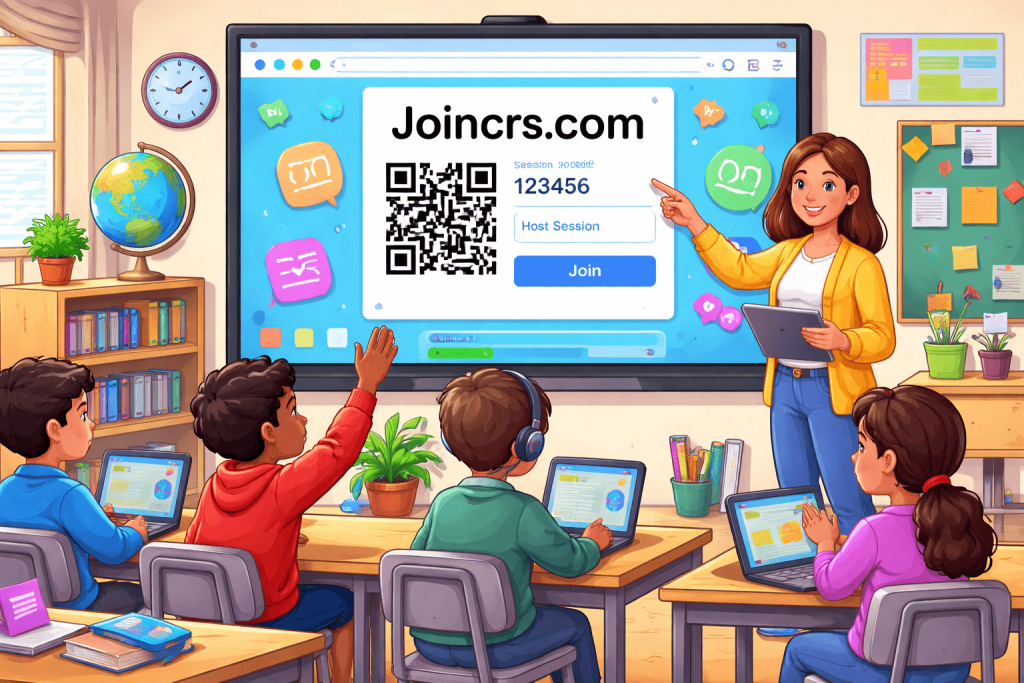
- The platform generates a six-digit code or QR code.
- Students visit joincrs.com.
- They enter the code (or scan the QR code) to join the live session.
- No student accounts are required.
Students can join using phones, tablets, laptops, or Chromebooks. The process takes only seconds, making it easy to integrate into daily lessons.
Why Teachers Choose Joincrs.com
With so many educational tools available, simplicity matters. Joincrs.com stands out for several key reasons:
1. It’s Free
Teachers can sign up and start using the essential features without paying subscription fees.
2. It’s Easy to Learn
Most educators can understand the basics in just a few minutes. There’s no complicated setup or technical training required.
3. It Includes Practical Classroom Tools
Classroomscreen offers more than 15 customizable widgets, including:
- Countdown timers
- Noise level meters
- Traffic lights for visual instructions
- Random name pickers
- Polls for instant feedback
- Drawing tools
- Text boxes for instructions
Teachers can resize widgets, save layouts, and create groups on the fly. The flexibility allows you to adapt it to any subject or grade level.
How Joincrs.com Improves Learning
Traditional lectures can sometimes lead to passive learning. Joincrs.com encourages active participation instead.
For example:
- Start class with a quick poll to check understanding.
- Use a timer to create focused work sessions.
- Randomly select students to ensure equal participation.
- Collect anonymous responses from shy students.
Because students interact in real time, you gain immediate feedback about their understanding. This allows you to adjust instruction on the spot.
It also promotes equity. Students who may hesitate to raise their hands often feel more comfortable responding through their devices.
Why Students Enjoy Using It
From a student’s perspective, Joincrs.com feels interactive and modern. Instead of passively listening, they’re tapping, voting, drawing, and participating.
Students appreciate:
- Instant feedback on responses
- Anonymous participation options
- Fair group assignments
- A quick and simple joining process
When lessons feel interactive, attention improves and participation increases naturally.
Tips for Getting the Most Out of Joincrs.com
To maximize success, consider these practical tips:
Start Simple
Begin with one or two widgets such as a poll or timer before adding more tools.
Customize Your Layout
Adjust backgrounds and colors to match your classroom style. Save frequently used setups to save time later.
Combine Tools Strategically
Pair a timer with a noise meter during group work. Use polls alongside text instructions for clarity.
Involve Students
Allow students to suggest poll questions or participate in brainstorming using the drawing feature.
Test Before Class
Generate your session code ahead of time to ensure everything runs smoothly.
Common Mistakes to Avoid
Even simple tools require thoughtful use. Avoid these common issues:
- Overcrowding the screen with too many widgets
- Skipping a demo on the first day
- Forgetting to plan for students without devices
- Not keeping up with new features and updates
- Failing to have a backup plan in case of internet issues
Keeping things streamlined ensures a stress-free experience for both you and your students.
Frequently Asked Questions
Is Joincrs.com free?
Yes, core features are available at no cost.
Do students need accounts?
No. Students only need the session code or QR scan.
Can it be used for remote teaching?
Yes. You can share your screen link with remote learners.
What if I’m not tech-savvy?
The platform is designed to be beginner-friendly and intuitive.
Final Thoughts
Joincrs.com isn’t about flashy technology it’s about meaningful engagement. With just a simple code, you can turn passive lessons into interactive experiences.
If you’re looking for a practical way to boost participation and bring energy back into your classroom, try starting with one quick poll this week. Small steps can lead to big changes in student engagement. Elevate everyday thinking with Meaning Aura.

A former editor and grammar geek, David Langford has spent years refining the art of clear communication. He combines his journalism background with a knack for teaching, offering straightforward tips to master tricky grammar rules. When he’s not proofreading, he’s probably debating Oxford commas.