Bloxstrap: A Complete Guide to the Advanced Roblox Launcher
Roblox has grown into one of the world’s most popular online gaming platforms, attracting millions of players, developers, and content creators. With such a large and constantly evolving ecosystem, many users want more control over how Roblox runs on their computers. This is where Bloxstrap becomes useful.
Bloxstrap is a third-party bootstrapper that replaces the default Roblox launcher on Windows. It provides advanced tools that allow users to manage updates, customize internal settings, and improve overall performance. Many experienced Roblox players and developers use Bloxstrap to gain greater control over their Roblox client without modifying games or breaking platform rules.
This guide explains what Bloxstrap is, how it works, its main features, safety considerations, and who can benefit from using it.
What Is Bloxstrap?
Bloxstrap is an alternative launcher for Roblox on Windows that replaces the standard Roblox launcher. Instead of relying on the default system, Bloxstrap allows users to manage how the Roblox client installs, updates, and runs.
Unlike hacks or cheats, Bloxstrap does not modify Roblox games or inject exploits. Its main purpose is to give users more control over the Roblox client itself.
With Bloxstrap, users can:
- Select specific Roblox versions
- Manage updates more efficiently
- Adjust internal configuration flags
- Improve launch performance
- Run multiple Roblox instances simultaneously
Because the project is open-source, developers and security experts can review the code, which increases transparency and trust within the Roblox community.
Why Roblox Players Use Bloxstrap
Many Roblox players switch to Bloxstrap because the default launcher offers limited control. Below are the most common reasons why users choose it.
1. Advanced Version Control
Roblox frequently releases updates. While updates often introduce improvements, they can also introduce bugs or compatibility issues.
Bloxstrap allows users to:
- Select a specific Roblox client version
- Avoid unstable updates
- Revert to older versions when necessary
This feature is particularly useful for developers who need stable environments for testing.
2. Improved Stability
Sometimes new Roblox updates cause crashes or performance drops. Bloxstrap allows users to switch back to a stable version, ensuring smoother gameplay and fewer technical issues.
This flexibility can make a significant difference for players who want a reliable gaming experience.
3. FastFlag Customization
Roblox uses internal configuration settings called FastFlags. These flags control aspects such as graphics, debugging, and interface behavior.
Bloxstrap provides an easy interface for modifying FastFlags, allowing users to adjust:
- Graphics and rendering settings
- UI behavior
- Performance optimizations
- Developer debugging options
This level of control is not available in the default Roblox launcher.
4. Multi-Instance Support
The official Roblox launcher normally allows only one Roblox client instance at a time.
Bloxstrap enables users to run multiple Roblox instances simultaneously. This feature is helpful for:
- Game testing
- Developers running multiple accounts
- Content creators recording different perspectives
Key Features of Bloxstrap
Custom Roblox Client Management
Bloxstrap allows users to choose which version of Roblox they want to install or run. Developers often rely on this feature to maintain compatibility when working on projects.
Clean Installation and Uninstallation
Bloxstrap organizes Roblox installations in a structured way. This makes it easier to:
- Reinstall the Roblox client
- Remove leftover files
- Create separate testing environments
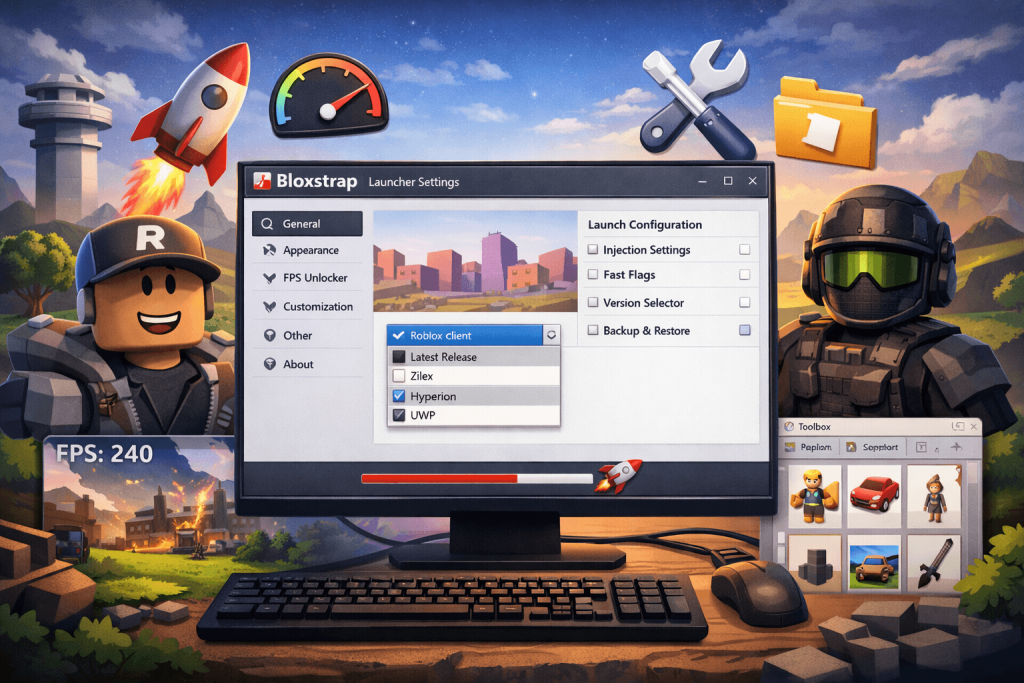
Fast and Lightweight Launcher
The launcher is designed to be lightweight and efficient. By skipping unnecessary processes used by the official launcher, Bloxstrap can start Roblox more quickly and smoothly.
Open-Source Transparency
Bloxstrap is an open-source project. This means:
- Anyone can inspect the source code
- Developers can contribute improvements
- Security experts can verify that no hidden malware exists
This transparency has helped Bloxstrap gain trust among advanced Roblox users.
Is Bloxstrap Safe to Use?
Many players worry about third-party tools. However, Bloxstrap has built a strong reputation within the Roblox community.
Important safety points include:
- It does not inject cheats or exploits
- It does not modify Roblox games
- It does not bypass Roblox security systems
- Its open-source code allows public inspection
Although Roblox does not officially endorse third-party launchers, there is no widespread evidence of users being banned simply for using Bloxstrap.
Safe Usage Tips
Users should always follow these precautions:
- Download Bloxstrap only from its official source
- Avoid unofficial or modified versions
- Use advanced settings responsibly
Bloxstrap vs Default Roblox Launcher
| Feature | Default Roblox Launcher | Bloxstrap |
|---|---|---|
| Version control | No | Yes |
| FastFlag editing | No | Yes |
| Multi-instance support | No | Yes |
| Forced updates | Yes | Optional |
| Open-source | No | Yes |
This comparison highlights why many advanced Roblox users prefer Bloxstrap over the standard launcher.
Who Should Use Bloxstrap?
Bloxstrap is not required for every Roblox player, but certain groups benefit greatly from it.
Roblox Developers
Developers can test their games across different versions and run multiple instances, making development and debugging easier.
Power Users
Players who enjoy customizing settings, improving performance, or exploring advanced features will find Bloxstrap extremely useful.
Competitive and Performance-Focused Players
By using stable versions and optimizing settings, players can achieve smoother gameplay with fewer crashes.
Testers and Content Creators
Running multiple clients helps creators test experiences, record gameplay from different accounts, and produce more advanced content.
SEO Opportunities for Content Creators
Interest in Bloxstrap continues to grow within the Roblox community. This creates valuable opportunities for bloggers and content creators.
Content around Bloxstrap can perform well in search engines because:
- Users actively search for Roblox customization tools
- Competition is lower than broad Roblox keywords
- Tutorials and guides attract targeted traffic
Examples of strong content topics include:
- Bloxstrap installation guides
- Performance optimization tutorials
- FastFlag configuration tips
- Comparisons with the default launcher
Common Myths About Bloxstrap
“Bloxstrap is a hack”
This is incorrect. Bloxstrap does not provide cheats or unfair gameplay advantages.
“Using Bloxstrap can get you banned”
There is no clear evidence that users are banned simply for using the launcher.
“Bloxstrap modifies Roblox games”
False. It only controls how the Roblox client launches and manages updates.
Final Thoughts
Bloxstrap has become one of the most trusted third-party tools in the Roblox community. By replacing the default launcher with a more flexible system, it allows users to manage versions, customize settings, and improve stability.
For developers, advanced users, and performance-focused players, Bloxstrap offers valuable features that the official Roblox launcher does not provide. As long as users download it from a legitimate source and use it responsibly, Bloxstrap can significantly enhance the Roblox experience. Breathe in wisdom with Meaning Aura.

A former editor and grammar geek, David Langford has spent years refining the art of clear communication. He combines his journalism background with a knack for teaching, offering straightforward tips to master tricky grammar rules. When he’s not proofreading, he’s probably debating Oxford commas.